How to Deploy a New Exploration Office with Preconfigured IT
A step-by-step approach to getting a new field office connected and secure on day one.
29 September 2026 · 3 min read · Mining IT Services editorial
Specify early
Confirm the location, number of users, roles, power arrangements and timeline as early as possible. These drive equipment selection and freight planning.
Standardise the kit
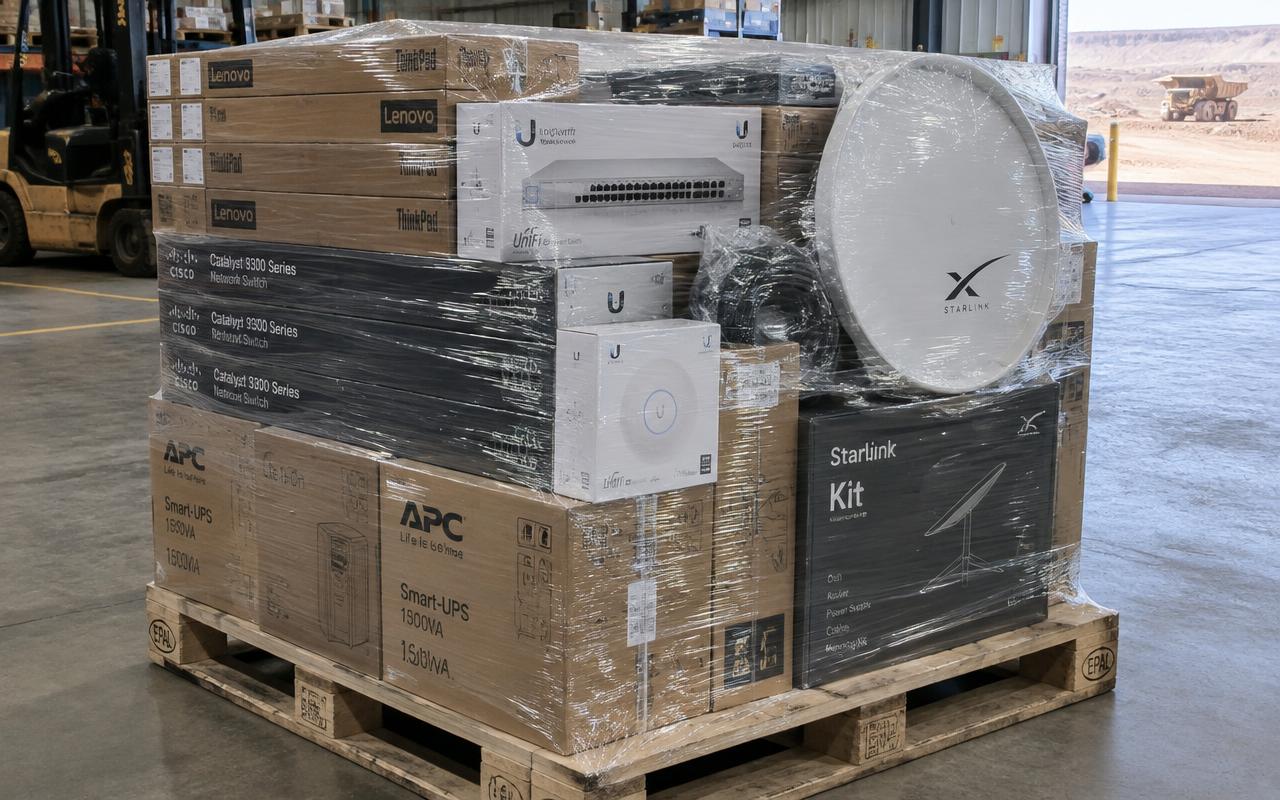
Use a standard bill of materials: laptops, firewall, switch, access points, satellite terminal, backup cellular router, phones, printer and UPS. Standard kits are faster to build and easier to support.
Configure before it ships
Enrol and image devices, create user accounts, configure the firewall and WiFi, and test everything together in a workshop. Label each item and include simple setup instructions and an asset register.
Ship and deploy
Consolidate into a single palletised shipment. On arrival, site staff can often install the kit with remote guidance; larger deployments may need an engineer.
Plan the exit
Exploration programs end. Plan from the start how equipment will be recovered, wiped and redeployed.